Update January 2021. As well as this TCX converter I have a .FIT file converter here: Fit File Converter. This will read .fit files and allow output as .csv or tab separated files
Jan 2025 - I had a report that this program may not work on some TCX files - I don't have a device that creates FCX files (anymore) so I am a bit stuck analysing the issue. However I have recovered the source code of an older computer so can investigate further if people send me their problematic TCX files - there's a link to a folder on my Google drive in the comments or also here: Link
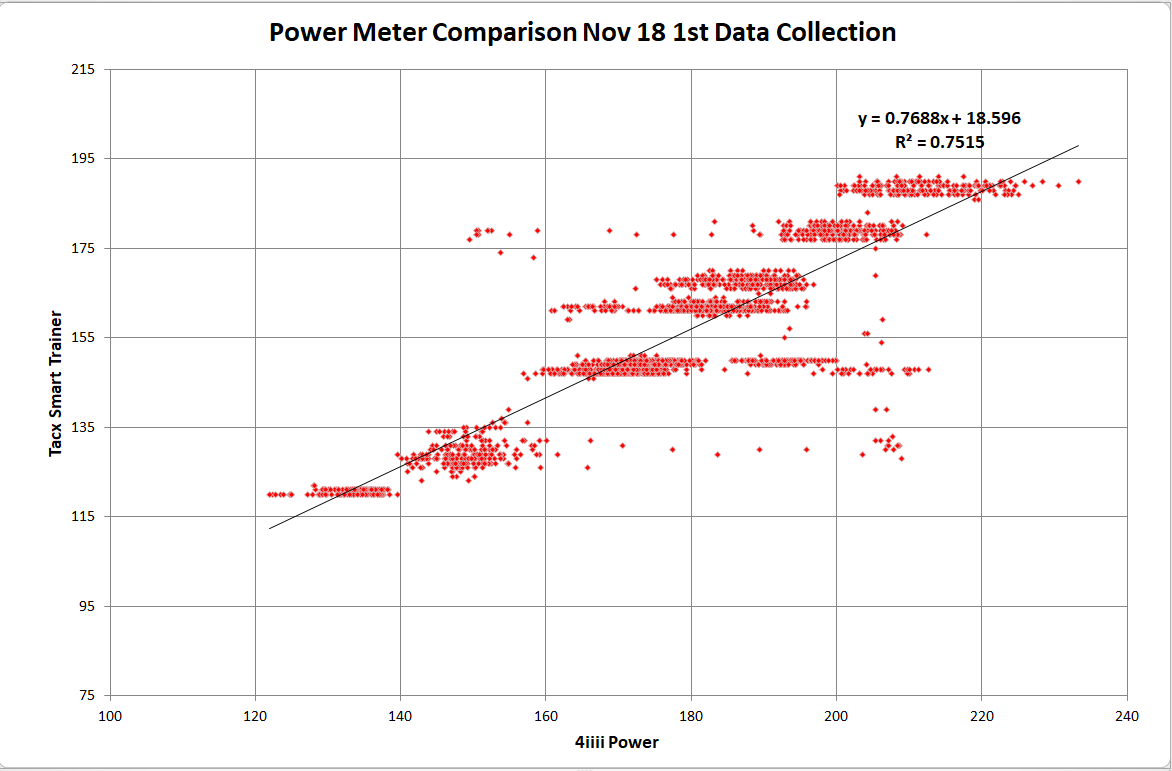
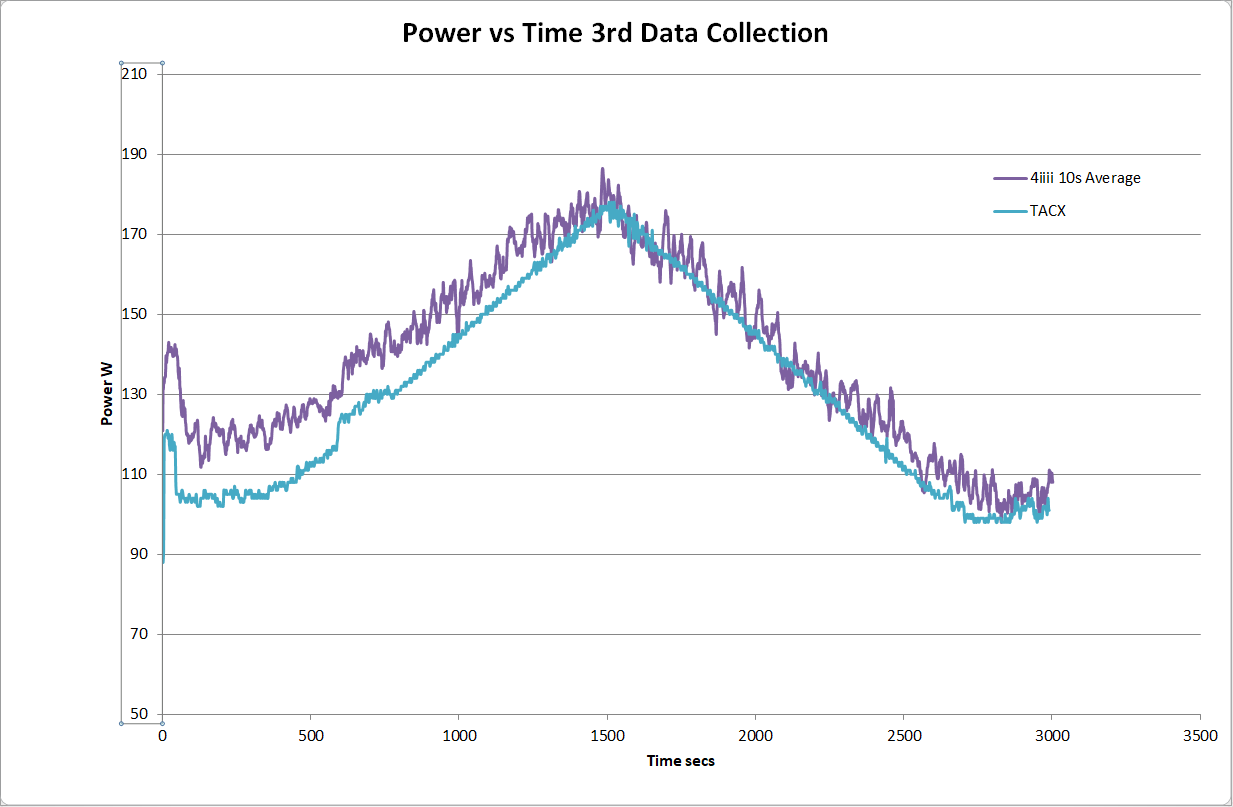
In the post here: Power Meter Comparison, I showed some data comparing power from my Tacx Smart Turbo Trainer and a 4iiii crank arm power meter.
To do this I obviously needed to log the power data into 2 acquisition systems as a Garmin will only record 1 power meter at a time. I used my Garmin for the 4iiii data and logged the Tacx data in a TCX format using a PC based trainer application - VeloReality (Veloreality).
However I needed to read the TCX file that the Veloreality creates into Excel, so I wrote a small (Windows) program to do this (note that initially I manually uploaded the data into Strava and then used my other program (Strava Data Analysis) to get the data - however this means that I need to upload 2 identical rides and this obviously screws up the annual statistics).
Here's the program (which is available to download, see further in the post).

There are also 2 areas to display the data as the TCX file is processed. The top text box shows general information about the activity recorded and the lower text box shows the actual time based data (as will be seen later)
Also on the Menu bar is an "About" dialog box showing version and release date.

To import a TCX file either select the button or use File/Import TCX File as here:

In either case a standard File Open Browser appears. Select the file in the normal way:

The file will immediately start to be imported. A progress bar shows an estimate of progress.

Once imported and converted the Export button will become active allowing the data to be exported as a .csv file using a standard Windows Save dialog box

Here's an example of a converted file:

And for information this is the source TCX file:

This program has worked reliably for me, on a small sample size of TCX files. This of course means that it will not work for you - so please contact me via this Blog so I can investigate issues
The program has some small configuration possible . Basically it reads a line of the file at a time and compares contents of each line against some specified pre-defined strings, and then processes accordingly. The user may edit these strings if there are differences, perhaps due to language etc. This is done as follows.
From the main File menu select File/Show Application Folder.

This will open the folder used to hold an old fashioned INI file (and also some small application log files). The INI file is created on first run from hard coded variables.

Open tcxconverter.ini and you will see the following:
[TCX_Converter]Here it is clear the each entry in the TCX file (either as an activity header or data value) has a matching INI file category. Here are some examples:
TCX_Header=<?xml version="1.0" encoding="UTF-8"?>
TCX_Track=<Track>
TCX_Trackpoint=<Trackpoint>
TCX_Activity=<Activity Sport="
TCX_Activity_end=">
TCX_Id=<Id>
TCX_Id_end=</Id>
TCX_Lap=<Lap StartTime="
TCX_Lap_end=">
TCX_Time=<TotalTimeSeconds>
TCX_Time_end=</TotalTimeSeconds>
TCX_Distance=TCX_Distance
TCX_Distance_end=</TriggerMethod>
TCX_Trigger=<TriggerMethod>
Value_Trackpoint=<Trackpoint>
Value_Trackpoint_end=</Trackpoint>
Value_Time=<Time>
Value_Time_end=</Time>
Value_Position=<Position>
Value_Position_end=</Position>
Value_LatitudeDegrees=<LatitudeDegrees>
Value_LatitudeDegrees_end=</LatitudeDegrees>
Value_LongitudeDegrees=<LongitudeDegrees>
Value_LongitudeDegrees_end=</LongitudeDegrees>
Value_AltitudeMeters=<AltitudeMeters>
Value_AltitudeMeters_end=</AltitudeMeters>
Value_DistanceMeters=<DistanceMeters>
Value_DistanceMeters_end=</DistanceMeters>
Value_Cadence=<Cadence>
Value_Cadence_end=</Cadence>
Value_HeartRateBpm=<HeartRateBpm>
Value_HeartRateBpm_end=</HeartRateBpm>
BPMValue_Value=<Value>
BPMValue_Value_end=</Value>
Value_Speed=<Speed>
Value_Speed_end=</Speed>
Value_Watts=<Watts>
Value_Watts_end=</Watts>
Value_Extensions=<Extensions>
Value_Extensions_end=</Extensions>
The type of activity in the TCX file is "Biking" and is recorded in the file as follows:
<Activity Sport="Biking">
I want to extract Biking and so this is preceded by <Activity Sport=" and followed by ">
So that the program can detect this it has a variable called TCX_Activity which equals <Activity Sport=" and another variable called TCX_Activity_end which equals ">
The program searches each line between these two variables and extracts Biking
So if your file has a different text either side of the data required these INI file settings can be edited
This process is used throughout the program
There are some assumptions and limitations
- Correct TCX format. I assume that every 1st line will be: <?xml version="1.0" encoding="UTF-8"?>. If this is not the case then the conversion will abort. No other format check are performed
- The way I have written it is not at all good and assumes all files look and are formatted exactly like this file. I suspect it will fail when TCX files alternatively formatted are passed to it. This will be an interesting programming challenge to better handle XML type files. I think some form of recursion will be required and I have always struggled with that
- Some data (like cadence in this example) is duplicated as it also appears in the <Extensions> block. There is no processing to remove this duplicate
- It will only process the variables in the INI file. If your file has additional variables these will be ignored. I will address this to an extent by allowing user defined variables to be defined in a later version
- Error trapping is crude and simple
- I extended my C# programming learning by using Databinding for the text boxes in this application. I think this affects performance and is not strictly necessary
Getting and installing the program.
I have had trouble in the past trying to provide a robust means for people to install the program. I have been adding a zip file containg the Installer that Visual Studio builds and this has had I believe mixed success for people to get it to load.
However with further work, and actually building it as a Release rather than a Debug version, reveals that a standalone exe file is also created. This will just run and work although these is no installer. This is much easier

TCX_Converter_1_0_0_7_exe.zip is the standalone exe file and TCX_Converter1_0_0_7_installer.zip is the installable version
Please give feedback in the comments section of this post and I'll contact you for further information if there are issues